BackupsThatProveTheyRestore
Three-Layer Protection | Tested Restores | Minute-Level SQL Recovery
A backup job that completes is not the same as a business that recovers. 912 builds layered data protection — local snapshots for instant rollback, network backup on separate hardware, and an offsite cloud copy — the same architecture we handed over, production-ready, in our most recent infrastructure delivery. Database workloads get transaction-level cloud sync that can recover an accidental deletion down to the specific minute.
Request Consultation
Technologies in use




Evidence, not promises.
See how clients improved resilience, visibility, and operational control with 912.
Three-layer backup — dairy manufacturer
Local snapshot, network backup, and offsite cloud delivered as three independent layers, with storage pools verified healthy and replication running on schedule at handover.
Read the case studyTransaction-level SQL protection
Deduplication backup manager deployed locally plus SQL transaction-level cloud sync — accidental deletions recoverable to the specific minute.
Read the case studyAgent-based VM backup design
Full-image-then-incremental agent architecture to NAS: daily incremental / weekly full cadence, specified at under 1% production overhead, designed for rapid local VM recovery.
Read the case studyWhen this service becomes urgent
912 turns backup from job completion into recoverability evidence. The engagement checks protected workloads, restore tests, RPO/RTO, offsite retention, alerting, ownership, and disaster-recovery documentation.
Discovery call agenda
Backup inventory, restore drill, alert and storage review, offsite retention, RPO/RTO documentation, and recurring evidence pack.
- 1List protected workloads and backup tools.
- 2Review last restore evidence and gaps.
- 3Agree the first drill and reporting cadence.
What the numbers say about leaving this alone
Almost everyone recovers something eventually. The variable that decides whether that is an inconvenience or an existential event is how long it takes, and nobody finds that number out until the day they need it.
Sophos reported that 97% of surveyed organisations whose data was encrypted recovered some data, but only 53% recovered within one week.
Sophos — in Sophos's own State of Ransomware survey — read the second number, not the first
Veeam reported that 98% of surveyed organisations had a ransomware playbook, while fewer than half included the essential response elements.
Veeam — in Veeam's vendor-published ransomware research
Quick Answers
What does 912's backup architecture look like?
Three independent layers, each defeating a different failure mode: local snapshots for instant rollback, network backup on separate hardware, and an offsite cloud copy for site-level disaster. VM and server workloads use agent-based backup — a full image first, then incremental-only changes — on a daily incremental / weekly full cadence to NAS storage, managed by a local deduplication backup manager. SQL and ERP databases additionally get transaction-level cloud sync.
How do I know the backups will actually restore?
Because we restore them. Every 912 backup engagement includes a restore drill — an actual workload restored and timed, producing observed recovery figures rather than theoretical targets. We then agree a recurring drill cadence at handover. A backup job that completes on schedule but has never been restored is how most ransomware incidents become catastrophic.
How does this protect against ransomware?
By layering copies that fail independently. Ransomware that encrypts production and the local backup volume still can't reach the offsite cloud copy. The honest caveat we put in writing: cloud sync does not protect against account compromise or vendor outage — for Tier-1 data we recommend a third air-gapped copy on rotated physical media, scoped as a separate line item.
What's the performance impact of backups on production?
Minimal by design. Backup agents introduce less than 1% overhead, and after the initial full image only incremental changes are captured — which keeps backup windows short and stops backup jobs contending with production workloads. Schedules stay under administrator control so heavy operations run outside business peaks.
Can you recover a single accidental deletion, not just a whole server?
Yes — that's the point of the transaction-level SQL cloud sync. An accidental deletion or bad update in an ERP database can be recovered down to the specific minute it happened, instead of rolling the whole system back to last night's backup and losing a day of transactions. File-level and VM-level recovery sit alongside it for everything else.
What does backup and recovery cost?
A reference shape from a delivered engagement: the Data Protection Suite — deployment of a local deduplication backup manager plus transaction-level SQL cloud backup configuration — was KES 150,000 in professional services within a wider infrastructure modernization. Standalone scope varies with workload count, retention policy, and NAS/cloud capacity sizing, which is exactly what the discovery call establishes.
What the Architecture Covers
VM & Server Image Backup
- Full virtual machine images captured, then incremental-only tracking
- Daily incremental / weekly full cadence against a defined retention policy
- Under 1% agent overhead — backup jobs don't contend with production
- Rapid local VM recovery from NAS storage
Three Independent Layers
- Local snapshots for instant, sub-minute rollback
- Network backup on separate hardware
- Offsite cloud copy for site-level disaster
- Deduplication backup manager to keep storage honest
Database-Grade Recovery
- SQL transaction-level cloud sync
- Recover accidental deletions down to the specific minute
- Recovery tiers per workload, with maximum-downtime targets
- Documented boot-up order after a total outage
The High Cost of 'Hoping for the Best'
Backup emails that say 'success' for jobs nobody has ever actually restored.
Ransomware that encrypts the backup volume sitting on the same network as production.
A single backup copy — one NAS failure or one compromised account away from total loss.
Database restores that lose a full day of transactions because the backup granularity was 'last night.'
Honest Risk Framing
What this protects against — and what it doesn't.
NAS capacity must match retention
Backup architecture is only as good as the capacity allocated to it. If retention exceeds NAS or cloud storage, jobs silently truncate or fail. We size capacity against your declared retention policy during discovery — exceeding declared retention requires a re-sizing engagement.
Scheduled is not the same as tested
Backup jobs that run on schedule but have never been restored are how most ransomware incidents become catastrophic. We run a restore drill at implementation and agree a recurring cadence — outside that cadence, untested restore paths are a residual risk you carry.
Cloud sync is not a substitute for offsite physical media
Cloud sync protects against ransomware and local hardware failure but not against account compromise or vendor outage. For Tier-1 data, we recommend a third air-gapped copy on rotated physical media. We scope this as a separate line item when required.
How We Build It
From inventory to a restore you've actually watched succeed.
Part of the 912 six-phase engagement model — this is how it runs for this service.
Inventory & Policy Design
Map every protected workload, define retention, set the daily-incremental / weekly-full cadence, and size NAS and cloud capacity against the declared retention — not hope.
Agents & Layered Copies
Deploy backup agents on the hosts, integrate NAS storage, configure the deduplication backup manager locally, and wire the offsite cloud sync — transaction-level for SQL workloads.
Restore Drill
Actually restore a workload and time it. The drill produces observed recovery figures and surfaces gaps while they're cheap to fix.
Handover & Cadence
Documented schedules, retention, recovery tiers, and boot order handed to your team — with a recurring restore-drill cadence agreed so recoverability stays proven, not assumed.
Automatic detection and repair of hidden data errors. Ability to recover accidental deletions down to the specific minute. Secure, automated daily copies of your data to a safe location.
The 912 Position
Recoverability, Not Job Completion
The green checkmark on a backup job proves the job ran — nothing more. We measure backup success by restores: tested, timed, and documented.
Layers That Fail Independently
Local snapshots beat fat-finger deletions. Network backup beats a dead disk. The offsite cloud copy beats fire, theft, and site-level ransomware. One layer is a bet; three layers are a design.
Minute-Level Database Recovery
Transaction-level SQL sync means an accidental deletion at 11:47 can be recovered to 11:46 — not rolled back to last night's backup with a day of invoices gone.
A DR Path, Not Just Backups
Where the engagement includes a standby node, replication can run on a 15-minute sync interval — turning backup infrastructure into a manual-failover disaster recovery position.
Compare the deployment model, operating work, lifecycle, prerequisites, and where another option may be the better fit before selecting a product.
All vendor decision guidesVeeam
Technology in scope
VMware
Technology in scope
Acronis
Technology in scope
Microsoft Azure
Technology in scope
Common Questions
Everything you need to know about Backups That Prove They Restore.
What makes a backup strategy actually survive ransomware?
Independent layers. Modern ransomware targets backup volumes before encrypting production — so a backup copy on the same network is not protection, it's a second victim. 912's architecture keeps three copies that fail independently: local snapshots for instant rollback, network backup on separate hardware, and an offsite cloud copy ransomware on your LAN cannot reach. For Tier-1 data we additionally recommend an air-gapped copy on rotated physical media, because cloud sync does not protect against account compromise.
How does agent-based backup work, and what does it cost in performance?
Backup agents on the hosts capture a full virtual machine image once, then track and capture only incremental changes. That keeps backup windows short and storage consumption low — and the agents introduce less than 1% overhead, so backup jobs do not contend with production tasks. The standard cadence is daily incrementals with weekly fulls, retained on NAS storage against a defined retention policy.
How often does 912 test recovery?
A restore drill is part of implementation — we restore an actual workload and time it, so the engagement hands over observed recovery figures rather than theoretical targets. At handover we agree a recurring drill cadence suited to each workload's recovery tier. The position we hold: a backup that has never been restored is an assumption, not a safeguard.
How much does backup and disaster recovery cost?
A reference shape from a delivered engagement: KES 150,000 in professional services for the Data Protection Suite — a local deduplication backup manager plus transaction-level SQL cloud backup — delivered within a wider infrastructure modernization. DR implementation in the same engagement was KES 50,000. Standalone scope varies with workload count, retention policy, and storage sizing; the discovery call establishes the real number against your environment.
Does this support our Data Protection Act 2019 obligations?
It supports them materially. The DPA 2019 expects data controllers and processors to safeguard the integrity and availability of personal data, and a tested, layered backup posture with documented retention is core evidence of that. 912 hands over the retention policy, backup schedules, and restore-drill records in writing — documentation your compliance position can actually point to.
Can you recover a single deleted record instead of restoring the whole server?
Yes — for database workloads that is exactly what the transaction-level SQL cloud sync is for. An accidental deletion or bad update can be recovered down to the specific minute it happened, instead of rolling the entire system back to last night's backup and losing a day of transactions. VM-level and file-level restores sit alongside it for everything else.
Where is the backup data stored?
Layer by layer: snapshots stay local for instant rollback, the network backup lives on NAS hardware separate from production, and the offsite copy syncs to cloud storage. Every storage location, schedule, and retention window is documented in the handover — you always know where every copy of your data is and how old it can be.
Related Technical Protocol

Try Bitdefender GravityZone Free for 30 Days: What Your Business Should Test.
A free product trial should answer whether GravityZone fits your devices, applications, policies, reporting needs, and operating team. Here is what organisations with at least 15 endpoints should test during the 30-day evaluation.
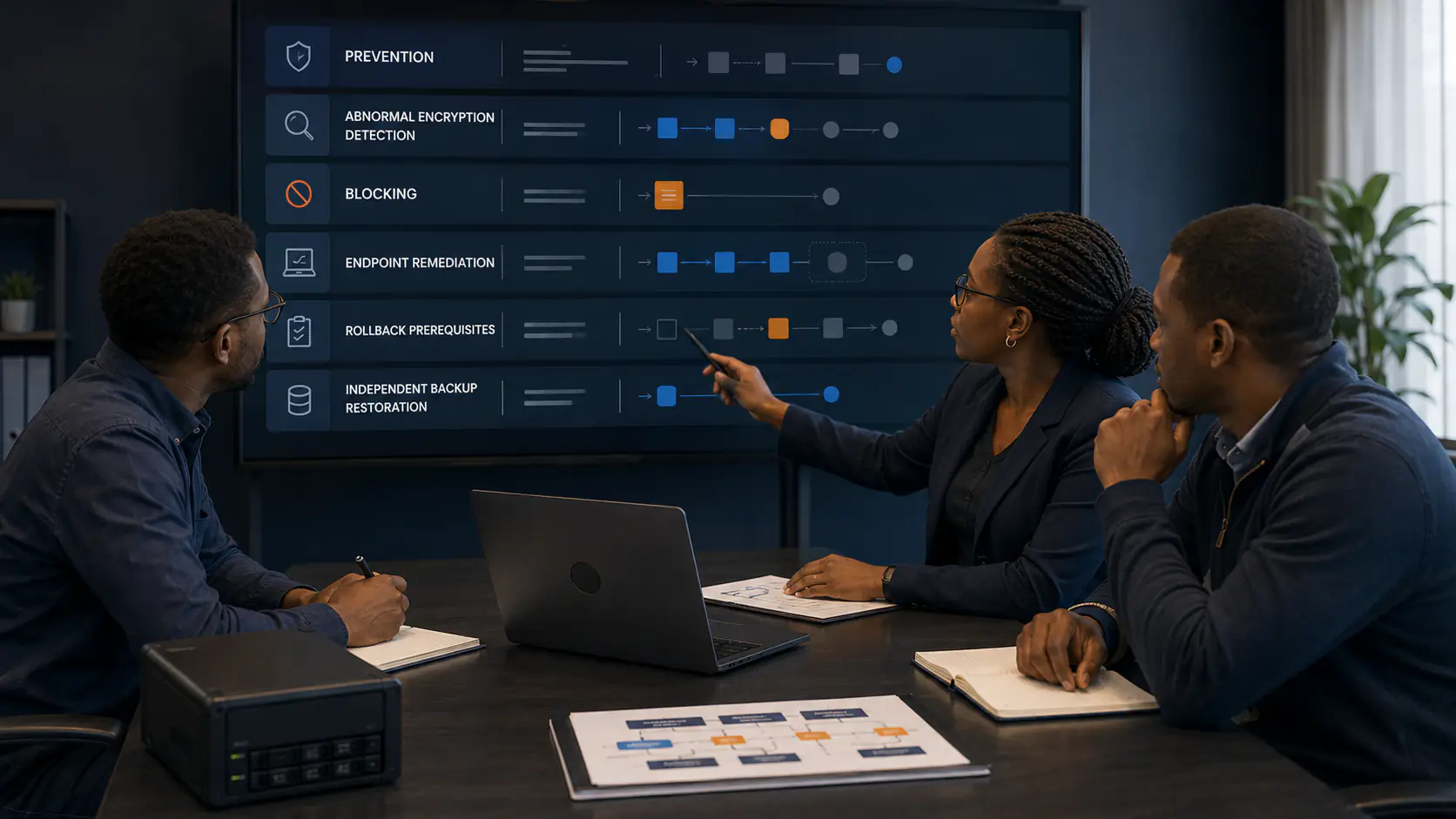
What Happens When Ransomware Starts Encrypting Files? GravityZone Prevention and Recovery Explained.
When ransomware begins abnormal encryption, GravityZone can detect the behaviour, block the responsible process, and preserve temporary recovery data where the required protection and prerequisites are active. Here is what that does—and does not—mean for recovery.
SAP ECC to S/4HANA: The 2027 Deadline Explained for Kenyan Businesses
SAP ends mainstream support for ECC at the end of 2027. Here is what the deadline actually means for Kenyan businesses, the migration paths to S/4HANA, and why planning now is cheaper than reacting later.