SAPHANADisasterRecovery&SystemReplication
Asynchronous HANA Replication | ETIMS-Ready Failover | Eight-Step Documented Runbook
Stop running SAP Business One on a single unprotected production site. We design and implement SAP HANA System Replication in asynchronous mode with a deliberately manual failover model — the same architecture we have designed, implemented, and handed over for Kenyan operators in transport, dairy manufacturing, and tyre distribution. Sales orders, deliveries, invoices, inventory, finance records, and KRA ETIMS-compliant invoicing all survive a site failure.
Request Consultation
Technologies in use
 SUSE Linux Enterprise
Evidence, not promises.
See how clients improved resilience, visibility, and operational control with 912.
SAP HANA DR — transport & logistics operator
Manual DR failover designed, implemented, and handed over: HANA System Replication, secondary-site application server, network design, and a documented runbook.
Read the case studySAP HANA DR — tyre distribution group
The same manual-failover architecture delivered end-to-end for a Kenyan tyre distributor, with documented failover and failback procedures.
Read the case studyERP disaster recovery — dairy manufacturer
Design, implementation, and handover of ERP DR failover for a Kenyan dairy manufacturer — an engagement that continues today.
Read the case studyWhen this service becomes urgent
912 designs SAP HANA disaster recovery for SAP Business One environments that cannot afford invoice, inventory, or ETIMS downtime. The path is SAP HANA System Replication, class-matched DR infrastructure, a manual failover gate, tested ETIMS continuity, and a written failback runbook.
Discovery call agenda
DR readiness review, HANA replication design, DR application server setup, ETIMS validation, failover/failback runbook, and tabletop or live test.
- 1Review SAP topology, HANA sizing, and current backup/DR state.
- 2Check ETIMS and failover readiness gaps.
- 3Decide whether the next step is a runbook drill or DR implementation scope.
What the numbers say about leaving this alone
SAP patching is not an annual project. It arrives monthly, and the estates that fall behind do so quietly, one cycle at a time.
In one monthly SAP Patch Day analysis, Onapsis recorded 26 new or updated security patches, including four HotNews Notes and two High Priority Notes.
Onapsis — in Onapsis's analysis of a single month's SAP patch day
SAPinsider–Onapsis research reported that 23% of respondents experienced a cyberattack that affected their SAP environment.
Onapsis — in the SAPinsider–Onapsis research
Quick Answers
What is SAP HANA disaster recovery?
SAP HANA disaster recovery is the architecture and operational discipline that lets a business resume SAP Business One operations from a secondary site after the primary fails. 912's implementation uses SAP HANA System Replication in asynchronous mode plus a deliberately manual failover protocol — the HANA database, application server, KRA ETIMS integration, and mainserver file attachments all replicate to a class-matched DR site, typically over an MPLS link with QoS prioritization.
How does an SAP HANA failover actually run?
Through a documented eight-step runbook: confirm the primary is genuinely down, check the replication state with hdbnsutil -sr_state to establish the data-gap window, notify users, execute hdbnsutil -sr_takeover on the DR node, update DNS and flush workstation caches, start SAP Business One, verify login / invoice posting / ETIMS with a test transaction, then open access to all users. Failback follows the reverse path during a maintenance window.
Why does 912 use manual failover instead of automatic?
Manual failover is a deliberate control that prevents split-brain corruption. Automatic failover under flapping links is where SAP environments lose data permanently — both primary and DR can think they are authoritative, accept conflicting writes, and produce irreconcilable invoice and inventory state. An administrator confirming the outage before takeover costs minutes; split-brain costs weeks of reconciliation.
What happens when the replication link goes down?
The business keeps working. Production SAP continues at full speed — users post transactions, generate invoices, and run reports without interruption. HANA System Replication suspends silently, queues log entries locally, and catches up automatically the moment the link is restored. The only data-loss exposure is the low-probability scenario where the primary site fails while the link is also down — and even then, a backup internet path at both sites allows remote management of the failover.
What does 912's SAP HANA DR scope include?
Professional services for design, implementation, configuration, testing, and runbook documentation. Components: HANA database replication over MPLS, a production-grade SAP Business One application server at the DR site, KRA ETIMS installed and tested at DR for tax-compliant invoicing after failover, mainserver file replication for attachments and Crystal Reports templates, daily HANA backups to offsite storage, and a step-by-step failover/failback runbook for administrators.
What does the client need to provide for SAP HANA DR?
DR HANA hardware matching production specifications (for a typical 30-user SAP Business One environment: 2 processor sockets, 256 GB RAM, 4 TB storage minimum), a DR application server sized for full production load, server-room power, cooling, and physical security at the DR site, the SAP HANA DR licence and SAP Business One DR permission, SUSE Linux Enterprise Server for SAP subscriptions on the DR node, ETIMS DR activation rights from the vendor, and the link-latency baseline from the MPLS provider. Hardware and software licensing remain client responsibility — 912's role is professional services.
What's in the DR Architecture
HANA System Replication
- Async database replication with zero performance impact on production users
- Mainserver file replication for attachments, notes, and Crystal Reports templates
- Replication lag under 10 seconds on a healthy link
Full Production at the DR Site
- Production-grade SAP Business One application server for the full user count
- KRA ETIMS installed, configured, and tested at the DR site
- Tax-compliant invoicing continues after takeover
Runbook & Last-Resort Backups
- Step-by-step documented failover and failback runbook
- Daily HANA backups to offsite storage as the last-resort safety net
- Operational readiness and an audit trail, not a paper plan
What This Removes
A single unprotected production site as a complete point of failure for sales, inventory, finance, and manufacturing.
Inability to generate KRA ETIMS-compliant tax invoices during an outage — which legally halts all customer sales, not just IT.
Disaster recovery plans that exist on paper but have never been executed by an administrator under live conditions.
Catastrophic data loss from hardware failure, power outage, fire, or storage corruption without offsite backups.
Honest Risk Framing
What this protects against — and what it doesn't.
Async replication exposes seconds-to-minutes of data loss
Asynchronous mode protects daily SAP performance but does not deliver zero-RPO. If the replication link is down at the moment of primary failure, exposure equals the link-outage window. We document this trade-off in the proposal rather than promising zero data loss we cannot deliver. If your business requires zero-RPO, synchronous replication is a separate scoping conversation — with the transaction-latency cost it imposes made explicit.
Hardware and licensing are client-side
SAP Business One DR permission, the SAP HANA DR licence, SUSE Linux Enterprise Server for SAP subscriptions, and ETIMS DR activation sit between you and those vendors. 912 confirms the licensing position before commencement and can liaise with your SAP partner, but the contracts are yours. DR hardware is procured against the sizing we specify — it must match production, because your DR site runs as a full production node.
Failover is deliberately manual
We don't automate failover on async replication because that's where SAP environments lose data permanently to split-brain corruption. The few extra minutes the manual gate adds buys a guarantee of data integrity — and the runbook means any trained administrator can execute it, not just the engineer who built the system.
The Failover Runbook — All Eight Steps
This is the actual administrator procedure we document, test, and hand over. Manual by design: a human confirms the outage before takeover, which makes split-brain corruption impossible.
Part of the 912 six-phase engagement model — this is how it runs for this service.
Confirm the Outage
Verify the primary site is genuinely down before anything else. This single gate prevents an accidental failover triggered by a temporary network blip.
Check Replication State
Run hdbnsutil -sr_state on the DR node to confirm the last replication timestamp — this tells you the exact data-gap window before you commit.
Notify Users
Management and key users are informed of the failover and the data-gap window before the takeover, not after.
Execute Takeover
Run hdbnsutil -sr_takeover on the DR node, promoting it to active primary.
Update the Network
Update the DNS record and flush workstation caches so every client points at the DR site.
Start SAP Business One
Start the SAP Business One service on the DR application server.
Test, Then Open
Verify login, invoice posting, and ETIMS compliance with a test transaction — only then open access to all users.
Failback
When the primary site is repaired, register it as secondary, resync, and fail back during a planned maintenance window.
We do not offer generic solutions — every recommendation we make is specific, justified, and deliverable within agreed timelines.
Why Manual Failover, Not Automatic
Split-Brain Prevention
Manual failover is a deliberate design decision, not a limitation. Automatic failover under a flapping link is how both nodes end up believing they are the active primary — accepting conflicting writes and corrupting the very data DR exists to protect. The manual gate costs minutes; split-brain costs weeks of reconciliation.
A Link Outage Doesn't Stop the Business
If the replication link goes down, production keeps running at full speed — replication suspends silently, queues the log entries, and catches up automatically the moment the link is restored. No manual intervention, no user impact.
Honest RPO Framing
Asynchronous replication protects daily SAP performance, and the trade-off is documented honestly: data-loss exposure is seconds to minutes in normal conditions, and equals the link-outage window if a disaster strikes while the link is also down. We put that in writing rather than promising zero data loss we cannot deliver.
Compare the deployment model, operating work, lifecycle, prerequisites, and where another option may be the better fit before selecting a product.
All vendor decision guidesDesign Figures
From our most recent SAP HANA DR architecture — tested, documented, compliant.
SAP HANA
Technology in scope
SUSE Linux Enterprise
Technology in scope
Microsoft Azure
Technology in scope
Common Questions
Everything you need to know about SAP HANA Disaster Recovery & System Replication.
What SAP experience does 912 have?
912 has built its SAP infrastructure practice one client at a time since 2013, and today supports SAP environments across ten locations on the African continent. The practice centres on SAP Business One on HANA: disaster recovery design, HANA System Replication, infrastructure support and management. We have designed, implemented, and handed over SAP HANA and ERP disaster-recovery failover for Kenyan operators in transport and logistics, dairy manufacturing, and tyre distribution — including system replication, secondary-site application servers, network design, and documented runbooks.
Can SAP keep invoicing through KRA ETIMS after a failover?
Yes — and that is a core design requirement, not an afterthought. Without ETIMS at the recovery site, a business legally cannot generate tax-compliant customer invoices during an outage, which halts all sales regardless of how healthy the database failover was. 912 installs, configures, and tests the KRA ETIMS integration at the DR site, and the failover runbook includes verifying a test invoice posts through ETIMS before access opens to all users.
How fast is the replication, and what bandwidth does DR need?
Design figures from our most recent SAP HANA DR architecture, for a 30-user SAP Business One environment on a 30 Mbps MPLS link with QoS prioritization: replication lag stays under 10 seconds on a healthy link, ongoing replication load runs under 15 Mbps, and the initial site-to-site sync completes in roughly one day. Replication is asynchronous, so production users feel no performance impact regardless of link quality — and if the link drops, replication queues silently and catches up automatically when it is restored.
What does SAP HANA DR cost?
The cost has three parts. 912's component is professional services — design, implementation, configuration, testing, and runbook documentation — scoped precisely after a site survey. Hardware is client-side: the DR HANA server must match production specifications because the DR site runs as a full production node, not a passive standby. Licensing is also client-side: the SAP HANA DR licence, SAP Business One DR permission, and SUSE Linux Enterprise Server for SAP on the DR node — the SUSE DR subscription typically runs 10–20% of the production licence cost.
Do we need new SAP licences for a DR site?
Yes — a DR site has its own licensing position, and 912 confirms it before any implementation begins. The checklist: a SAP HANA licence covering the DR node, SAP Business One DR-site permission from your SAP partner, SUSE Linux Enterprise Server for SAP subscriptions on the DR server, and ETIMS DR-site activation rights from your ETIMS vendor. The contracts sit between you and those vendors — we do not resell licences — but we identify exactly what is needed and liaise with your SAP partner so nothing surfaces mid-project.
What is SAP Business One?
SAP Business One is SAP's ERP for small and mid-sized enterprises — one system for finance, sales, purchasing, inventory, manufacturing, and KRA ETIMS-compliant invoicing, typically run on the SAP HANA in-memory database. For Kenyan SMEs it is the entry point into the SAP ecosystem without the cost and complexity of S/4HANA. 912 designs and protects Business One environments in Kenya — disaster recovery via HANA System Replication, ETIMS-ready failover, daily offsite HANA backups, and documented runbooks — so the platform stays compliant and available rather than running on a single unprotected server.
What happens to SAP ECC when mainstream maintenance ends in 2027?
SAP ends mainstream maintenance for ECC (SAP Business Suite 7) at the end of 2027, with extended support to 2030 at a premium — after which security patches and legal/tax updates stop. The migration paths are brownfield (system conversion), greenfield (clean re-implementation), or selective data transition, and industry-typical end-to-end timelines run 6–14 months, so realistic planning should start well before 2027. For Kenyan businesses the 2027 clock also intersects with KRA ETIMS obligations — any migration has to be sequenced so tax-compliant invoicing stays live throughout. If you are weighing your position, a readiness assessment is the right first conversation.
Related Technical Protocol

Try Bitdefender GravityZone Free for 30 Days: What Your Business Should Test.
A free product trial should answer whether GravityZone fits your devices, applications, policies, reporting needs, and operating team. Here is what organisations with at least 15 endpoints should test during the 30-day evaluation.
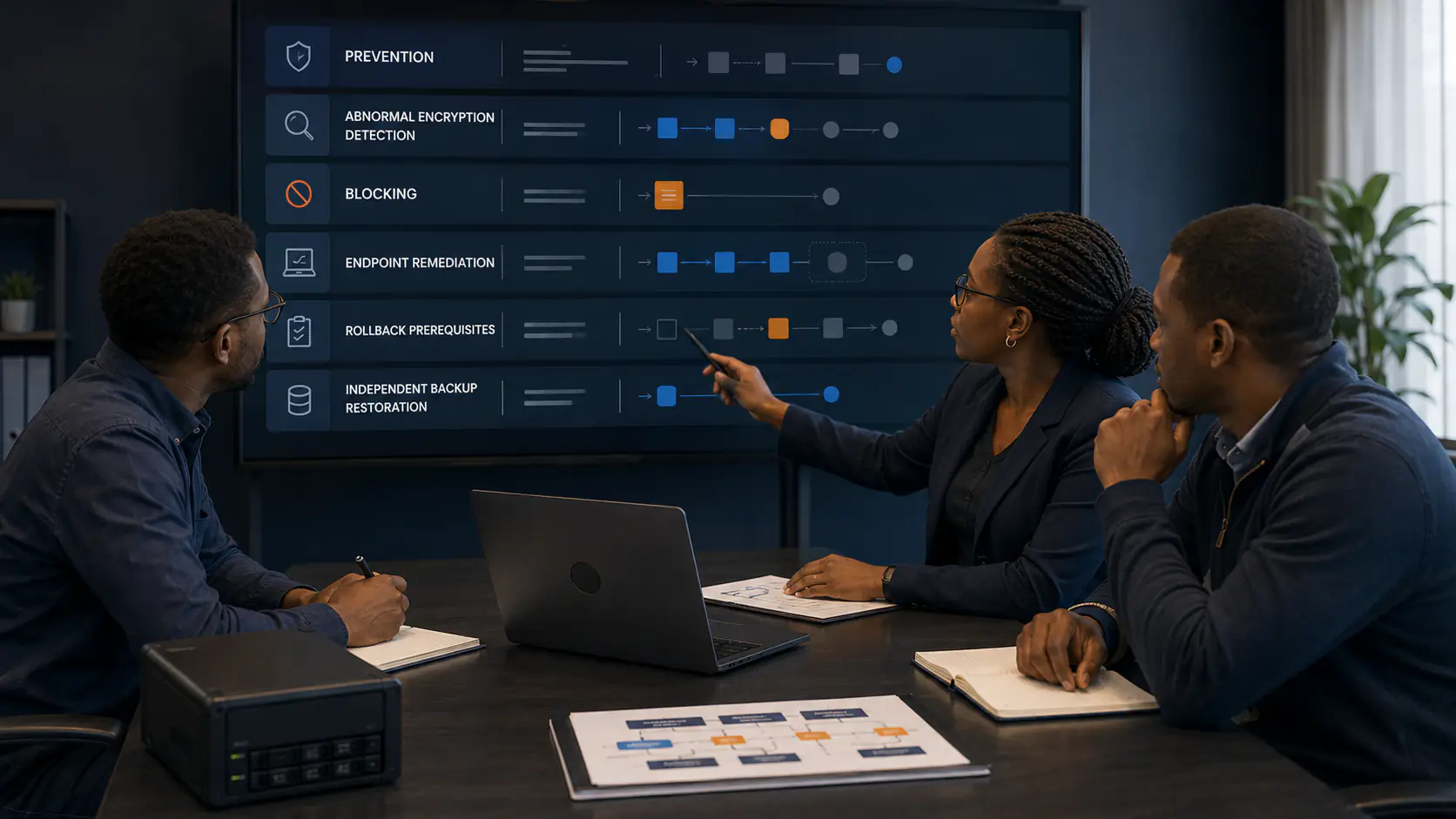
What Happens When Ransomware Starts Encrypting Files? GravityZone Prevention and Recovery Explained.
When ransomware begins abnormal encryption, GravityZone can detect the behaviour, block the responsible process, and preserve temporary recovery data where the required protection and prerequisites are active. Here is what that does—and does not—mean for recovery.
SAP ECC to S/4HANA: The 2027 Deadline Explained for Kenyan Businesses
SAP ends mainstream support for ECC at the end of 2027. Here is what the deadline actually means for Kenyan businesses, the migration paths to S/4HANA, and why planning now is cheaper than reacting later.